5 April 2026
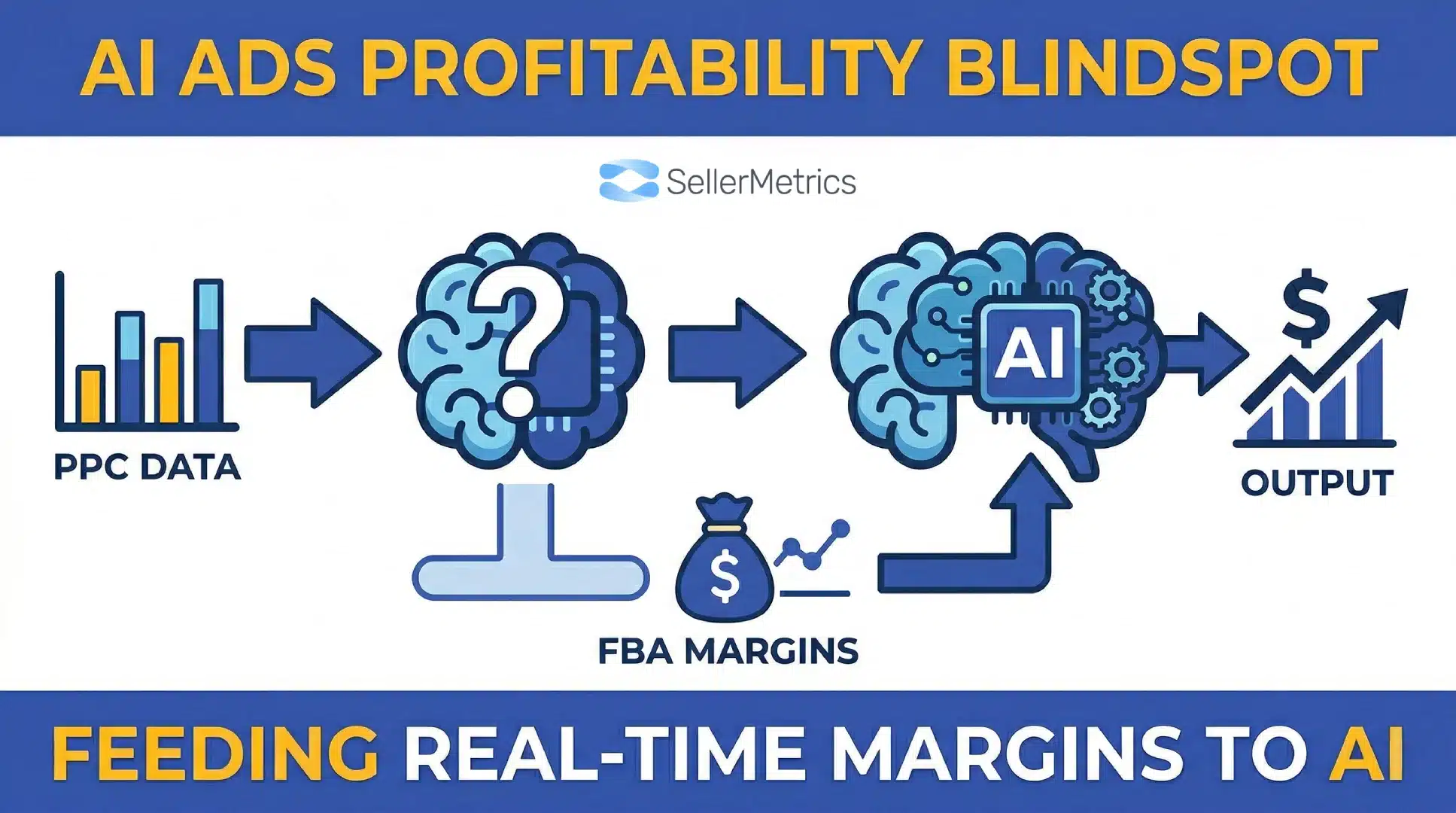
The MCP Blindspot: How to Feed Real-Time FBA Margins into Claude Code
TweetLinkedInShareEmailPrint 20 min read By Rick Wong Updated Apr 05, 2026 TL;DR Why is my AI ad tool d...

 14 December 2025
The Ads agent in Amazon Advertising Console has become one of the most talked-about features released by Amazon. Many sellers view it as a shortcut to faster campaign creation, easier reporting, and reduced manual work. Others worry it will push budgets too aggressively and favour Amazon’s own revenue goals. With the rise of AI and Amazon’s shift to a single unified advertising interface, understanding how this tool really works is essential for protecting your margins and improving your long-term performance.
Amazon introduced the Ads Agent during the unBoxed conference, positioning it as an AI assistant that can help advertisers set up campaigns, analyse reporting, and work with complex measurement tools. It represents a major change from previous automation features because it uses natural language to interpret what you want, then completes the work inside your account.
Article of Contents

Amazon describes the Ads Agent as a conversational tool powered by large language models. It helps advertisers complete tasks that normally take a long time, especially for large catalogues or complex setups. Instead of clicking through menu after menu, you can ask the tool to prepare a campaign structure or analyse a set of keywords.
The Ads Agent in Amazon Advertising Console is a conversational AI system built into your PPC dashboard. You can open the chat window at the bottom of the interface and type natural language instructions such as “create a keyword campaign for my newest ASIN” or “show my worst performing terms last week.” The tool then executes tasks by building campaigns, editing ad groups, writing Amazon Marketing Cloud queries, or summarising performance.
Below are the core functions of the Ads Agent:
The Ads Agent can draft Sponsored Products, Sponsored Brands, and display campaigns based on a simple prompt. You can ask it to create a structure for a single ASIN or an entire range of products.
It can recommend seed keywords, audience ideas, or ASIN targets. The suggestions are based on account history and marketplace trends.
The Ads Agent works with Amazon’s Creative Studio. It can generate simple images or short videos for catalogue items that do not require a large creative investment.
Advertisers can request explanations of performance trends or lists of terms with high spend and low conversions.
One of its strongest features is the ability to write SQL-style queries for AMC based on natural language.
The most important thing to understand is that this tool does not replace strategic thinking. It carries out instructions, but it does not know your margins, your positioning or your long-term brand goals unless you provide them with clear constraints.

Amazon is moving toward a single platform where advertisers can work with Sponsored Ads and Amazon DSP in the same location. The Ads Agent sits inside this environment and acts as the first layer of assistance.
This approach matches Amazon’s goal of attracting more advertisers by simplifying technical barriers. It lowers the skill threshold for basic campaign setup, while giving experienced advertisers tools for faster execution.

While competitor articles highlight the high-level benefits of the Ads Agent, many overlook what it does best in the day-to-day seller workflow. Based on industry testing, these are the main areas where the AI performs at a high level.
Creating multiple campaigns for a new product can take a long time. The Ads Agent can generate a full structure in seconds. It is especially strong for:
For advertisers who handle large portfolios, this alone can save hours per week.
The Ads Agent can summarise large datasets and identify costly trends. For example, you can ask:
This is faster than downloading reports and building spreadsheet formulas.
Many advertisers avoid AMC because SQL queries are difficult. The Ads Agent removes that barrier. You can request:
This makes enterprise-level insights more accessible for smaller or mid-sized brands.
For commodity products, the Creative Agent can produce acceptable video or image assets. This is helpful when your catalogue includes hundreds of SKUs that do not require high-budget creatives.

Although the tool is powerful, there are real risks. Amazon optimises for visibility and auction participation, which can increase spend if you do not monitor settings closely.
When asked to create campaigns, the Ads Agent often defaults to settings that push spend. It may choose:
These defaults are designed for data gathering, not cost control. Sellers must change these settings before publishing.
Because the Ads Agent is powered by language models, it sometimes recommends terms that are loosely related rather than tightly matched to your product. This can lead to irrelevant traffic, especially on new listings.
AI-generated headlines may violate Amazon’s guidelines. Superlatives or unverified claims can trigger rejection. Always review creative output before launching ads.
If advertisers treat the Ads Agent as a hands-off solution, they risk losing visibility into cost-bleeding areas. The tool does not know your break-even point, so it cannot control profitability without strict constraints.

The strongest sellers and agencies are adopting a hybrid workflow. This uses AI for speed while keeping strategic control in human hands.
Let the agent generate the initial structure and draft campaigns.
Check:
This protects your account from unnecessary overspend.
After your campaigns run, bring the agent back for:
This saves time while keeping you in control of margins.
The Ads Agent creates a new middle ground between full manual control and full automation.
For many advertisers, the right solution is a blend of manual expertise and selective automation.

Many advertisers want to know whether the Ads agent in the Amazon Advertising Console can replace manual optimisation. To answer this, sellers, agencies, and beta testers compared three approaches: manual management, AI-only management, and hybrid management. The results clearly show that the tool works best when paired with experienced human oversight.
Across multiple beta tests, AI-created campaigns launched very quickly. They required minimal setup, but often spent more aggressively. Common patterns included:
AI-only setups often prioritise visibility over control. This helped gather data quickly but produced weaker profitability. Advertisers who rely only on the agent without adjustments saw overspending on irrelevant terms, especially during launches.
Experienced advertisers using manual setups often achieved better efficiency and stronger return on ad spend. Manual control allowed for:
Manual campaigns remain the strongest option for sellers who know their category well and want tight financial control.
The best performance occurred when sellers combined AI speed with human judgment. This hybrid approach produced results close to expert-level manual performance while reducing time spent on repetitive tasks.
Key advantages included:
This aligns with Amazon’s intention for the Ads Agent to act as an assistant rather than a replacement for human expertise.

Amazon is evolving its ad platform, and the Ads agent in the Amazon Advertising Console is central to this evolution. Several upcoming updates and features will expand how advertisers use the tool.
Amazon is moving toward a single interface that blends Sponsored Products, Sponsored Brands, Sponsored Display, and DSP. The Ads Agent will assist advertisers in navigating these full-funnel views more efficiently. This creates:
Most competitor articles mention these features at a high level. Your article expands on real advertiser workflows, which increases practical SEO value.
The Creative Agent continues to improve. Sellers will be able to generate more videos, image sets and lifestyle visuals without external production resources. This speeds up asset creation for large catalogues and reduces the time needed to test creative variations.
Amazon is testing a system that lets advertisers reserve top-of-search positions at a fixed cost. The Ads Agent will help forecast the cost of reservation compared to auction-based ads. This feature is still limited, but it could reshape brand protection strategies.
Amazon is expanding agent-led workflows into:
As these features evolve, advertisers will rely on hybrid approaches to maintain control while making use of new efficiencies.

To avoid overspending and maintain control, follow this structured approach. This method improves performance while protecting your budget.
Let the tool handle repetitive actions such as:
This removes manual work without risking high-cost decisions.
The Ads Agent often selects aggressive settings like dynamic bids up and down. Review all of the following before launching:
These small adjustments prevent unexpected spikes in cost per click.
Although the agent can find harmful terms, advertisers should apply negatives manually. This ensures accuracy and prevents automation from blocking beneficial long-tail terms.
Once your campaigns run long enough to gather data, use the Ads Agent to:
You maintain control, but the AI speeds up decision-making.
Many advertisers still prefer using specialised platforms for detailed dashboards or bulk rule automation. Tools from an Amazon PPC agency or external platforms can add layers of analysis that the Ads Agent does not cover.

The Ads agent in the Amazon Advertising Console is not a standalone strategy. It is part of a larger framework that includes SEO, PPC, creative optimisation, and measurement. To understand its place, consider what each part of your Amazon ecosystem contributes.
You still need strong listings to maximise conversions and reduce wasted spend. Well-optimised content, strong image sets, and compelling A+ pages help your ad traffic convert more efficiently. This is where strategies like Amazon sponsored ads management become critical.
Even advanced advertisers continue to use external tools. For example:
Amazon’s AI is fast but still requires guidance, especially in competitive categories.
The Ads Agent interacts with Amazon’s auctions. Advertisers must understand how the Amazon advertising auction determines cost per click, visibility, and placement. If left unchecked, AI-driven bids can inflate participation in auctions that offer poor profitability.
Every business should understand its break-even metrics. For example, your long-term goals depend on knowing what is a good ACoS on Amazon for your product type is. Amazon cannot answer this for you unless you clearly specify your constraints.

The Ads agent in Amazon Advertising Console gives advertisers faster execution, improved access to performance data, and simplified workflows. It is becoming an important part of Amazon PPC systems, but it works best when paired with professional oversight. Automation can support tactical tasks, but advertisers must combine it with strong fundamentals across SEO, listing optimisation, and strategic planning.
Well-structured campaigns still rely on clear audience targeting, strong creative assets, and a realistic understanding of cost behaviour. Even with AI assistance, experienced advertisers rely on Amazon PPC services to apply deeper optimisation frameworks. This includes consistent auditing, placement management, and structured testing.
Because Amazon continues to invest in AI, sellers should expect more agent-led features in the future. These tools will make it easier to launch campaigns, work with audiences, and analyse data. Sellers who learn how to combine human strategy with AI support will achieve greater efficiency than advertisers who depend on automation alone.

Below is a simple workflow any seller or brand can follow to gain efficiency while maintaining control.
Define your goals and constraints. Include your break-even ACoS, budget limits, and seasonal requirements. The Ads Agent responds more accurately when given clear numerical instructions.
Ask the agent to create a structure based on your catalogue. You can request auto, exact, broad, or product targeting setups. Review all suggestions before launching.
Check for aggressive bid types. Adjust budget caps to stay within your financial plan. Confirm that match types align with your targeting strategy.
Start with lower bids until you gather enough data. Expand spending only when you see consistent conversion patterns. This avoids unnecessary costs during the early stages.
When campaigns begin collecting data, ask the agent to highlight inefficient terms, identify conversion patterns, or summarise performance. This saves time compared to manual spreadsheet analysis.
Combine agent insights with your own judgement. Add negative keywords based on real data. Adjust bids and placements using your strategic goals as the foundation.
The Ads agent in Amazon Advertising Console is a powerful tool that improves workflow efficiency and enables faster decision-making. It simplifies campaign creation, identifies performance trends quickly, and provides advanced insights from the Amazon Marketing Cloud. However, it should not be used as a fully automated solution because it cannot understand your margins, brand goals, or customer intent without clear direction.
Advertisers who rely on strategic oversight and structured optimisation will always outperform automated setups. The agent enhances your work, but it does not replace the need for expertise. For brands that want consistent, profitable growth, the most effective approach is to pair AI-driven execution with professional PPC guidance.
If you want expert account management, advanced optimisation strategies, and reliable support that aligns with your business goals, SellerMetrics can help. Our team has deep experience using AI tools while applying human judgment to protect your margins. Work with SellerMetrics to scale your Amazon advertising with confidence and long-term stability.
The Ads Agent speeds up the setup process by converting natural language prompts into campaign structures. It drafts ad groups, keywords, and budgets based on your instructions. Advertisers still need to review and adjust the settings, but the initial build is significantly faster.
You can automate parts of the workflow, but full automation is not recommended. The agent cannot interpret your margins or long-term strategy. Advertisers should supervise bidding, targeting and budgets to prevent unnecessary overspend.
Yes, the agent can quickly summarise search term data and highlight costly queries. It helps identify patterns that usually take longer to find manually. Advertisers can use these insights to refine targeting and improve profitability.
The agent can generate simple images and videos for certain product types. These assets work well for catalogues with many low-complexity items. Sellers should still review assets to ensure they fit brand guidelines and Amazon’s rules.
Yes, it integrates with Amazon Marketing Cloud. You can request complex analysis using natural language rather than writing SQL queries. This makes enterprise-level insights easier for smaller brands to access.
The agent participates in bids based on the settings you approve. Advertisers must understand how the Amazon advertising auction works to avoid aggressive bidding. Manual oversight prevents the system from entering auctions that do not align with your profitability goals.
5 April 2026
TweetLinkedInShareEmailPrint 20 min read By Rick Wong Updated Apr 05, 2026 TL;DR Why is my AI ad tool d...
4 April 2026
TweetLinkedInShareEmailPrint 8 min read By Rick Wong Updated Mar 30, 2026 TL;DR What is the difference ...
31 March 2026
TweetLinkedInShareEmailPrint 8 min read By Rick Wong Updated Mar 30, 2026 TL;DR What exactly is the Uni...