5 April 2026
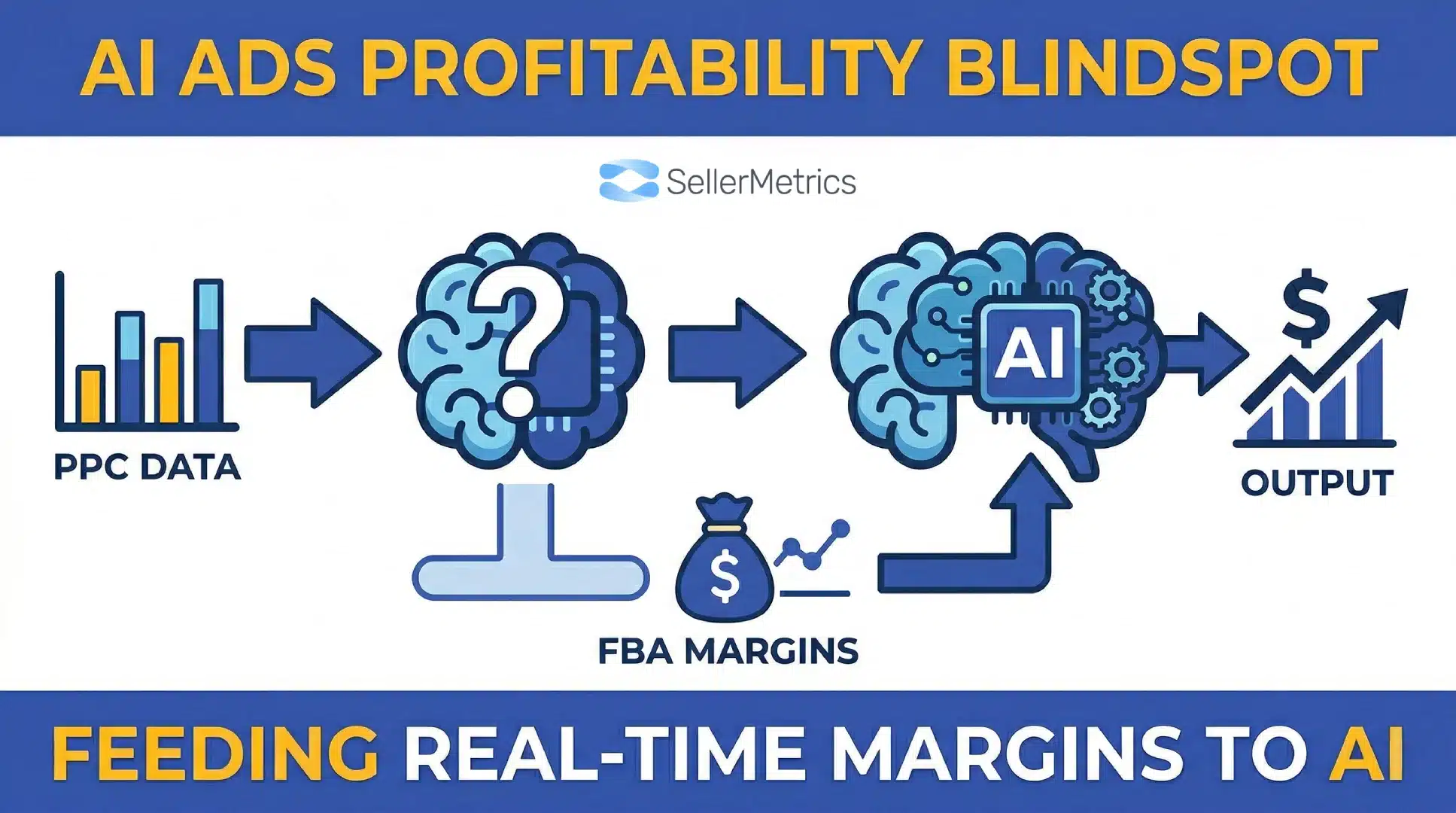
The MCP Blindspot: How to Feed Real-Time FBA Margins into Claude Code
TweetLinkedInShareEmailPrint 20 min read By Rick Wong Updated Apr 05, 2026 TL;DR Why is my AI ad tool d...

 21 December 2025

The most common error is “Keyword Cannibalization”: grouping too many dissimilar products or audiences into a single campaign. This prevents Amazon’s algorithm from matching specific keywords to the correct product, resulting in low relevance scores and wasted budget.
While easy to set up, Automatic Campaigns give Amazon total control over keyword targeting and bidding. Over-reliance on them leads to budget wastage on loose-match search terms that generate clicks but no sales. They should be used primarily for keyword discovery, not long-term scaling.
Amazon PPC ads cannot fix a bad product listing. If a listing lacks “Retail Readiness” (high-quality images, optimized titles, and A+ content), paid traffic will bounce rather than convert, leading to a skyrocketing ACOS and poor organic ranking.
Yes. Failing to bid on brand keywords allows competitors to place their ads directly on top of your organic search results (“Brand Conquesting”). Brand defense campaigns are necessary to protect market share and usually offer the highest ROI due to high conversion rates.
Without a doubt Amazon advertising plays a critical role in boosting brand visibility and driving sales for sellers. With the right strategies, sellers can effectively reach their target audience, make sure that their product listings appear on top of the Amazon search results page and maximize their return on investment (ROI). Sounds like a charm, doesn’t it? While things may seem straightforward, many Sellers make common mistakes when running their Amazon PPC ads. In this blog post we list the most common and most costly mistakes that we have seen and also tell you how to avoid making these “Amazon Advertising Mistakes”.
A poorly structured Amazon ad campaign can lead to budget waste and low returns. Below are a few examples of lapses in campaign setup that are indicative of a poor campaign structure. As you read through you will find that the common denominator of ‘poor campaign structure’ is a lack of consistency: If you mix things that don’t match, performance will suffer, data is hard to analyze and optimization nearly impossible.
This is a classic mistake. Unless you only sell very few products that are all very similar, lumping all your products (or too many) into one single campaign is a sure-fire way to sink any campaign. The reason therefore is that later in the campaign setup, keywords or audiences that you target need to be aligned with the products that shoppers see in ads. If your brand sells sofas and tables, putting both types of products in the same campaign will be a problem if you later decide to bid on the keyword “sofa”. No matter how nice your tables are, shoppers who search for “sofas” are not looking to buy your tables.
A good way to segment your products into different campaigns is to consider product similarity, as well as product sales performance. For certain campaigns, you may only want to show your best-selling product pages to increase conversion probability.
This applies to sponsored brand (learn more about our Amazon Sponsored Brands Ads Services) and sponsored product campaigns. Ideally, you would want to create an ad campaign that revolves around a single keyword cluster. For example your brand name, or specific, common search queries centered on an important product feature. When you start throwing too many different keywords that are not topically aligned into the same campaign, the performance of different keywords can vary a lot. Shoppers who search for your brand name, for instance, are more likely to convert than shoppers who search for more navigational, product category type of keywords. So mixing these very different keyword types in the same campaign would not lead to ideal results.
Structuring your campaigns in a logical way, based on semantic proximity of different keywords is thus important.
Amazon Advertising offers three basic keyword match types: exact match, phrase match and broad match (Here our blog posts on Amazon Keyword Match Types). Many sellers get confused by this because they are not aware that there is a difference between a ‘keyword’ and a ‘search query’. A search query (or search term) is/are the word(s) that a user has actually typed into the Amazon search bar and a keyword is essentially a word cloud that targets a query/queries. How narrowly that word cloud is defined depends on the keyword match type you select. Let’s break it down:
When running Sponsored Display Campaigns you can select different types of audiences, such as remarketing audiences (so shoppers who have viewed your product pages but not yet purchased your products), shoppers who have viewed products similar to yours, or Amazon users who may just have a loose interest in your product category (learn more about our Amazon Sponsored Display Ads Services).
You can probably already see why bundling up all these different types of audiences in one campaign is a bad idea: their levels of intent and also the sizes of these audiences differ vastly. While the size of your remarketing audiences may not be that big, these shoppers are more likely going to convert. Amazon visitors who have just started researching your product category on the other hand are far less likely going to buy your products straight away. For these reasons it is better to keep these different audience segments separate. This way you can more accurately evaluate and optimize their performance and also make more informed budget allocation and bid setting related decisions (For more on this topic read our guide on Amazon Ads Target Audience Selection).
We have already discussed the issues of keyword overload and keyword match types. Not selecting the right keywords and most importantly not reviewing search term reports to weed out ineffective keywords is another cardinal sin that will tank your advertising account performance (Deep-dive on Negative Phrase vs Negative Exact Amazon). Keep in mind that the Amazon advertising platform ultimately generates revenue from clicks. So while the algorithm has your best interests at heart (irony mode off), it most deeply cares about Amazon’s own interests. That’s why conducting thorough keyword research and efficient Amazon keyword targeting is the starting point for setting up any Amazon PPC campaign (also interesting How to conduct Amazon reverse keyword search)
Especially for new Sellers figuring out which keywords work and which ones don’t, can be a lengthy and costly exercise. After all you need to spend on clicks before you know which ones convert and which ones don’t. As an Amazon ad agency one of our advantages is that across all the accounts that we manage we can draw on accumulated experiences spanning several million USD in ad spend. Based on these learnings we already have a good understanding as to which type of keywords perform better. Enquire about our Amazon PPC Services to learn how we can help you get a head start.
This point may not be obvious to everyone managing Amazon PPC ads, but it is a vital one: The quality of your Amazon product pages matters! Driving quality traffic to your product listings won’t work if your product copy is missing important product details, or if product images look like they were taken with a 1990s Polaroid. This is also where Amazon PPC and Amazon SEO intersect: Well optimized product pages with well-crafted product listing headlines, comprehensive bullet-point copy, best-practice product images and infographics and value adding A+ content will perform better across organic and paid search. Also keep in mind that for Amazon Sponsored Product Ads, your product listing IS your ad creative (If you need help with this check out our Amazon Product Listing Optimization Services). So it’s really critical that you use high-quality images and detailed, engaging descriptions to attract buyers. Include and add relevant keywords in product titles, bullet points, and descriptions to improve search rankings (Learn which ranking signals the Amazon A9 Algorithm uses).
If you are not sure how to optimize your Amazon product listing pages, explore our Amazon SEO Services.
Amazon PPC bidding strategy is also a huge area where we often see room for improvement. Consider a scenario where you constantly bid more for a keyword than you should to hit your target Advertising cost of sales – ACoS (What is ACoS?). You would sabotage your Amazon success click by click (Related blog post on Amazon PPC Suggested Bid). If you bid too low on the other hand, you may be underbidding and thus miss out on sales. While bid optimization is one of the most direct levers a Seller can adjust to boost sales performance on Amazon it is also the one that is most difficult to calibrate. This is precisely the reason why we have built our own Amazon PPC Management Software. Our proprietary bid optimization software uses advanced algorithms to automate your bidding 24/7. This ensures that your bids are fully optimized towards your ACoS target.
With automatic campaigns you put Amazon in the driver’s seat: Amazon decides when to serve your product ads based on the keywords that Amazon deems appropriate (based on your product title, description and other sections of your product listing page).
While there are certainly scenarios where automatic campaigns can make sense, we generally advise brands to be very cautious (everything you need to know about Amazon PPC Automatic Campaigns). With automatic campaigns you simply have insufficient control and there is a risk of budget waste. As a general principle, it is probably not the best idea when an advertising platform that manages the ad auction is also in charge of selecting keywords and setting bids. Imagine a casino deciding your bets for you – you can see how a conflict of interest may arise.
With Amazon ads, as with any advertising platform, a lack of data is a problem that no one has ever heard of (Everything about Amazon Advertising Reports). As soon as you start spending on ads your analytics reports surface all sorts of metrics: Click-through-rates (CTRs), Cost-per-click (CPC), impressions, clicks, ACoS and many more.
The question is: which of the metrics matter? ACoS may seem like a straightforward KPI to track, but is it really if you run a campaign that only targets your own brand keywords? In scenarios where shoppers are already looking to buy your products and your ad is just the last nudge that reminds them to click and buy, ACoS may NOT be the most relevant KPI to track. Likewise brands that are obsessed with a certain target CPC, or an industry benchmark CTR (What is a good CTR on Amazon?) may also be missing the point. KPI selection is thus a highly strategic task that heavily depends on the type of campaign you are running.
The last point we want to include in our list is brand bidding. Brand bidding describes the process of a brand bidding on keywords that contain their own brand or product names. While one may argue that it is a waste of money to show ads to Amazon shoppers who have already set their eyes on your product listings, you need to remember that you are not the only fish in the sea. Defending your brand keywords is vital for maintaining visibility and protecting market share. Plus if you do not bid on your own brand keywords your competitors will likely fill the void and take a bite out of your business. A common misconception is that ranking in position one organically is sufficient. This myth has been debunked over and over again. Many Amazon shoppers may not even recognize that there are ads on Amazon and click-through-rates of top of the search results listing are easily double digit numbers. This is high quality traffic that you never want to miss out on.
However, there are certainly ways to cost-optimize bidding on your brand keywords so that you end up spending as little as possible to secure these high value clicks. Contact us to learn how we help our clients achieve this (more about our Amazon Sponsored Products Ads Services).
Many sellers spend a lot of time tweaking their base bids but completely ignore where that bid is actually placing them. Note that Amazon allows you to set percentage increases (up to 900%) for “Top of Search” and “Product Pages”.
A common mistake that we see is setting one flat bid across all placements. Remember that the position in which your ad shows up makes a huge difference in terms of performance! Not all ad impressions are worth the same. A higher placement is correlated with a much higher CTR (click-through-rate).
You might be bidding $1.00, but your competitors are bidding $0.80 with a 50% Top-of-Search multiplier, effectively outbidding you for the most visible spots while paying less for lower-tier placements.
By not utilizing placement modifiers, you are often overpaying for “Rest of Search” visibility that converts poorly, while failing to win the premium slots that drive the highest click-through rates.
This one is a classic mistake: If your campaigns consistently run out of budget by mid-afternoon, you aren’t just missing out on sales, you are handing market share to your competitors during peak evening shopping hours.
While Amazon research shows that conversion rate differ by hour of the day and for most categories peak in the mornings (around 5-10 AM PST) on weekdays, not running any ads when shoppers are off work and switch back into shopping mode is a huge mistake. Also, conversion rates do not equal cost per conversion! So, for many categories, conversions later in the day are actually cheaper than during other times.
When your ads go dark, Amazon’s algorithm stops gathering data on your product’s performance. This interruption signals to Amazon that your product is less relevant during those hours, potentially hurting your organic ranking over time. Instead of arbitrarily capping budgets to “save money,” analyze your campaign performance by hour. If a campaign is profitable (ACoS is within target), capping the budget is effectively capping your profit.
A frequent error among sellers is pausing older, “messy” campaigns to start fresh with a perfect structure. We get it.. you have seen someone boasting on LinkedIn or seen a convincing video on YouTube and now want optimize your campaigns.
But keep in mind: Amazon advertising campaigns are a bit like wine: they tend to get better as they age. While a clean structure is desirable, Amazon’s algorithm heavily favors history. A campaign that has been running for two years has a “relevance score” and data history that a brand-new campaign cannot replicate immediately. Pausing a legacy campaign to launch a new one often results in a sudden drop in impressions and a spike in CPC as the new campaign enters the “learning phase.” Instead of turning off old campaigns, gradually transition high-performing keywords to new structures while keeping the legacy campaign active at lower bids to preserve its historical authority. And reality is, sometimes your “inefficient” old campaigns simply outperform newer “more optimized ones”.
Are you bidding on the keyword “stainless steel water bottle” in three different campaigns? That’s another classic mistake that we see. This is known as keyword cannibalization. When you target the exact same keyword with the same match type in multiple campaigns, you split your data and confuse Amazon’s algorithm. It doesn’t know which campaign to prioritize, often choosing the one with the higher bid or better history, leaving the others to languish. This prevents you from getting a clear picture of that keyword’s true performance and makes optimizing bids nearly impossible.
Running exact match, phrase match and broad match campaigns can increase the chance of this happening as with increasing campaign complexity it becomes more difficult to consider all scenarios that could result in involuntary keyword cannibalization.
Ensure a strict “one keyword, one home” policy where specific keywords live in designated campaigns, or use negative exact matches to funnel traffic correctly.
Focusing solely on ACOS (Advertising Cost of Sales) gives you tunnel vision. You might have a campaign with a high 40% ACOS that you deem a “failure,” but that same campaign might be driving the majority of your organic keyword ranking. If you pause it, your organic sales may plummet, causing your overall profitability to drop even if your ad efficiency looks better on paper. This is why tracking TACOS (Total Advertising Cost of Sales) is critical. TACOS measures ad spend relative to total revenue (organic + paid). A rising ACOS is acceptable if your TACOS remains stable or decreases, as it indicates your ads are successfully fueling organic growth (the “Halo Effect”).
Avoiding the common Amazon advertising mistakes listed in post can significantly improve ad performance and ROI. We encourage Sellers to review their Amazon advertising strategies and to implement the best practices shared here. Continually optimizing your advertising campaigns will help you push the barrier and to succeed in the competitive Amazon marketplace. If you are new to Amazon advertising check out our step-by-step guide on how to edit Amazon ads.
Grouping diverse products (e.g., “sofas” and “tables”) into one campaign is a “Poor Campaign Structure” mistake because it dilutes your relevance. Amazon’s algorithm needs to match your keywords to your specific product. If you have a single campaign with the keyword “leather sofa” but it also contains your table listings, Amazon may show your table ad to a customer looking for a sofa. This leads to low Click-Through Rates (CTR) and wasted impressions. You should always structure campaigns by product similarity to ensure your ads match the customer’s search intent.
Refusing to bid on your own brand is a strategic error because it leaves your most valuable real estate open to attack. Competitors can target your brand name and place their ads directly above your organic listing, stealing your customers at the last second. By not bidding on your brand, you surrender the “Top of Search” spot. Brand defense campaigns are typically very cheap (low CPC) and yield high returns, making them a necessary insurance policy rather than a waste of money.
Over-reliance on Automatic campaigns is dangerous because you surrender control to Amazon’s algorithm, which doesn’t care about your profitability as much as you do. While Auto campaigns are great for mining data, they often waste budget on loosely related search terms that generate clicks but no sales. The mistake lies in keeping winning keywords in Auto campaigns forever; instead, you should “harvest” them into Manual campaigns where you can control the bid and match type precisely.
Failing to add Negative Keywords is a “Cardinal Sin” of Amazon PPC. Without them, you are paying for clicks on search terms that will never convert. For example, if you sell “luxury wooden tables” but don’t add “cheap” or “plastic” as negative keywords, you will pay for clicks from bargain hunters who bounce immediately. This mistake inflates your ACOS and lowers your campaign’s conversion rate history, which can eventually hurt your organic ranking.
This is the “Cart before the Horse” mistake. Your ad’s only job is to get a customer to click; your product listing’s job is to get them to buy. If you send paid traffic to a listing with low-quality images, vague bullet points, or no A+ content, you will pay for the click but lose the sale. This results in a low conversion rate and a skyrocketing ACOS. You must fix your “Retail Readiness” (images, reviews, title) before spending a single dollar on ads.
Obsessing over ACOS gives you tunnel vision. ACOS only measures ad efficiency, not total business health. If you pause a campaign because it has a high ACOS, you might inadvertently kill the organic ranking that campaign was supporting. A better approach is to look at TACOS (Total Advertising Cost of Sales), which measures ad spend against total revenue. If your TACOS is stable, your ads are successfully driving total growth, even if the specific campaign ACOS looks high.
5 April 2026
TweetLinkedInShareEmailPrint 20 min read By Rick Wong Updated Apr 05, 2026 TL;DR Why is my AI ad tool d...
4 April 2026
TweetLinkedInShareEmailPrint 8 min read By Rick Wong Updated Mar 30, 2026 TL;DR What is the difference ...
31 March 2026
TweetLinkedInShareEmailPrint 8 min read By Rick Wong Updated Mar 30, 2026 TL;DR What exactly is the Uni...